The Challenge: A Complex Peer QA Process
At Mathspace, we have a "Peer QA" process. For a subtopic, my colleague will do the worksheet-to-PT alignment, which means they check which worksheet questions are matched by the existing PTs in that subtopic. For any gaps, they create new PTs from scratch.
My task is then to QA my colleague's work. I have to check if their alignment is correct and if the new PTs they created are high quality. This involves a lot of back-and-forth checking between the worksheet, the old PTs, the new PTs, and our notes in ClickUp. It's a very detailed process, and I wanted to build a tool to help me manage it all systematically.
My Solution: An AI Agent for My QA Workflow
I created the 'Worksheet-PT Alignment Agent,' an AI assistant I use as a command line to guide me through the whole Peer QA task. It's a stateful system that keeps track of everything in a "Master Alignment Log," so I have a single source of truth for the entire review.
Of course, I still have to check the output the AI gives and make the final call, but the agent does the heavy lifting of organizing everything and running the initial checks. It has really helped reduce the time it takes to do this task thoroughly.
How I Built It: A "Megaprompt" Design
The way I made the agent smart was by creating a single, really big "megaprompt." This main prompt contains everything, its personality as a QA specialist, how it remembers things with the JSON log, and all the rules it has to follow.
Inside this megaprompt, I also built a library of smaller, specialized prompts. So when I give the agent a command like `/run qa comprehensive`, it knows to use the specific sub-prompt for that QA task. This is how it can do different, complex jobs like the initial alignment or quality checks on the new PTs.
The Command System I Designed
The agent is built around a command system that lets me control every step of the Peer QA process, from the initial analysis to the final report.
Phase 1: Alignment & Validation
/start - Begins the process and asks me for all the project files and context.
/run initial_alignment - The agent does the first pass of comparing the worksheet to the existing PTs.
/run validate_with_clickup - Compares the AI's alignment with our notes in ClickUp.
/add my_assessment - I provide my final review of the alignment.
/add coworker_assessment - I also add my coworker's assessment to the log for comparison.
/add newly_created_pts - I log the new PTs that my colleague created for the gaps.
Phase 2: New PT Quality Assurance
/run qa [process_name] - This is the main QA command. I can tell it to run a `comprehensive` review, or specific checks like:
- skill_measurement
- hint_structure
- math_accuracy
- localization
- and many more...
Phase 3: Final Reporting
/add_my_feedback [ID] - Lets me add my own manual comments to the log for a specific PT.
/show_feedback_table - This displays the entire log as a clean TSV table so I can see the status of everything.
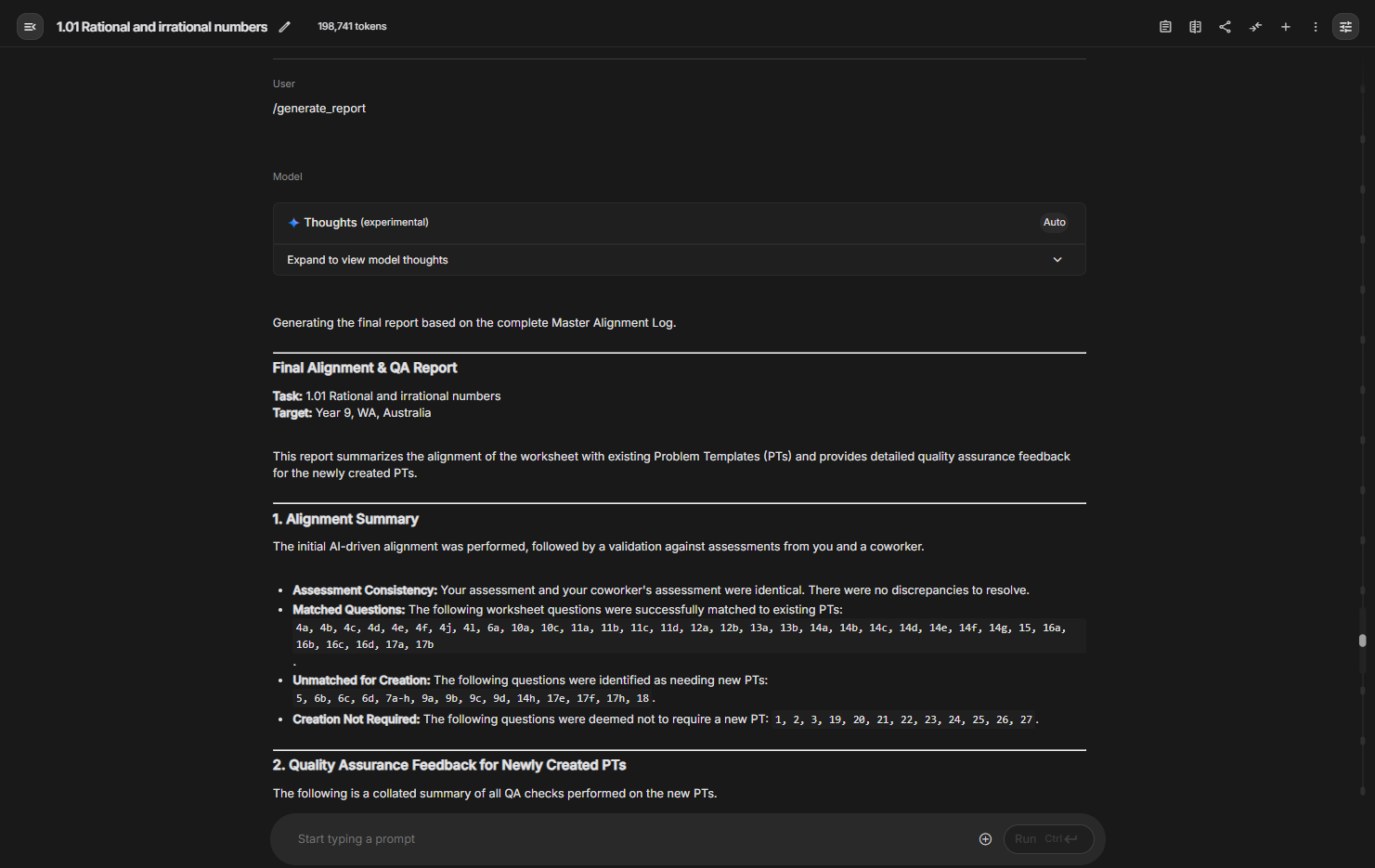
/generate_report - After all my checks are done, this command takes all the notes from the log and creates the final, synthesized report to send to my coworker.
/help - Shows this full list of commands.
Project Overview
AI Agent Design, Quality Assurance, Prompt Engineering, System Architecture
CLI, Large Language Models (LLMs), JSON, TSV